Friday, May 16, 2014

Violet - For Simple UML


Violet is one of my favorite UML editors. UML stands for unified modeling language. It is a graphical language that provides communication between programmers and end users. Violet is my favorite UML editor because it is simple to learn, the learning curve is low. Since the learning curve is low, it is also refereed to as the Very Intuitive Object Layout Editing Tool. It is integrated into the popular IDE (integrated development environment), Eclipse.  Also, the best thing about the UML editor is that it is completely free! 

Violet can be utilized to draw UML diagrams which depict the state or flow of classes, states, methods, and objects. In my programming classes I use Violet to depict class diagrams for programming projects and also sequence diagrams to display the flow of method class between classes. However, Violet can also generate use-case diagrams, state diagrams, activity diagrams, and also object diagrams. This allows teammates, professors, clients, or bosses to understand what the person is trying to do, the concept behind the idea, and the design process. If you find yourself in need of a UML editor with no cost and not want to waste time learning for hours then Violet is the way to go. 

References

N.A. (n.d). Violet UML Editor. Retrieved from https://www.violet.sourgeforge.net.

Youtube, For More Than Entertainment


Youtube is a website that allows users to upload and share their own personal videos. The site also allows anyone to view other people's videos for free. The site is currently owned by Google with more than one billion unique visitors a month and averages 100 hours of video uploaded per minute.

Some people might think Youtube just contains music videos, commercials, video blogs, television episodes, and other forms of entertainment. However, the videos uploaded on Youtube can also be educational as well. Personally, I utilize Youtube for entertainment but also when I'm in need of assistance. There are numerous tutorial videos on Youtube that explain the procedure or mechanics of a diverse range of items. It can range from a tutorial on creating a sandwich to a guide on building a computer from scratch. In a couple of scenarios Youtube has helped me out in tight situations. For example, when I did not understand a lesson from my Calculus II class, I would go onto Youtube and learn step by step at my own pace. In addition I use Youtube when I do not understand programs I am not familiar with like Photoshop. Youtube provides users with entertainment but also information, guides, and tutorials. It is especially beneficial to visual learners that require to see to learn rather than read. What I like most about Youtube tutorial videos is that you can learn at your own pace. If you perhaps missed a detail then you can simply jump back to the spot you need to review. Youtube, not just for laughs but also for those who seek knowledge.

References

N.A. (n.d). Youtube Statistics. Retrieved from http://www.youtube.com/yt/press/statistics.html.

Open Beta: Time to Find Bugs

In video games there are two types of beta testing, open beta and closed beta. Closed beta is when only a few participants are selected from the target audience. Open beta on the other-hand is open for the public, anyone can participate. Beta testing is done to mainly receive feedback and identify problems.

There are several reasons for a game to undergo beta testing prior to an official release. For one, the company that produced the product can receive user feedback from their target audience. The testers supply their own review of the game on aspects such as graphics, story's plot, music, difficulty, and other various areas. From the reviews, creators are able to improve by modifying the program, adding essential concepts, or removing bad concepts to satisfy their target audience.

Another reason would be to identify issues. While beta testers are playing the game and formulating opinions they are also obligated to report and bugs or glitches they may encounter. These bugs and glitches are problems that the game contains and can vary to a slight to a huge deal. The nasty bugs and glitches can promote unfair play, crashing of the game's client, and other methods that interfere with the user's experience. Data is generally recorded and evaluated during a beta test.

As a person that has been a beta tester for a video game before, I can say that it is a necessity to test one's product before officially releasing it. There can be service issues, hidden bugs, and glitches that can damage a game's potential and ultimately the company's reputation. Let's face it, no one wants to commit to a product that's not 100% functional.

References

N.A. (n.d). Video Game Beta Tests. Retrieved from http://www.centercode.com/beta/types/games/.

Monday, April 7, 2014

Usability - An Essential Factor

Testing usability is a key aspect of any project. If the audience that you are trying to create for cannot utilize what you create then why bother? The project should be user friendly, be easy to learn and understand for the project's demographic.

The usability of the project I am a part of is an extremely important factor. Actually, it is essentially the goal of the whole project, to turn a school website into a more user friendly site for all its users. The demographic of your project should be able to perform certain tasks, such as locate a certain page or register information, with ease. In our case, it would have to satisfy parents, staff, and children in finding particular information.

Usability can be tested in various ways, one method is making a paper protocol. Which is creating drawings done by hand of the user interface. The users would be presented the protocol and asked to navigate through. The designers take notes of any bugs and problems the users encounters. In our case, we were fortunate to have a server to host a protocol site on; which we used to have our clients navigate through finding certain information and took notes of obstacles encountered, bugs, and other errors that needed to be fixed before launching the site live.

By making protocols, the project team is able to identify problems their project's demographic would run into and fix in the early stages of development. It also provides the team with an essential feedback on the status of how user friendly their project currently is. Utilizing a protocol can save time, money, and provide feedback from your audience.

References

Misfud, Justin. (2012, June 3). Paper Prototyping As A Usability Testing Technique. Retrieved from http://usabilitygeek.com/paper-prototyping-as-a-usability-testing-technique/.

Monday, March 31, 2014

Blogging about Blogs

What is a blog you might ask? You are reading one right now. Blog is short for "weblog", it is a website that maintains information. The type of information is diverse, it can be on any subject and it can vary to a technical or a personal blog. Blog posts are always in reverse chronological order from newest posts to oldest post. The content of blogs are generally a stream of posts in reverse chronological order, an archive that keeps track of monthly and yearly posts, as well as a comments section on each post for the followers to express themselves about posts.

Why blogs? Blogs can update the followers on up-to-date information about current news and events on a variety of topics the blogger desires to cover. Instead of displaying solely facts, some blogs update their followers with the bloggers' opinions on a variety of topics the blogger wishes to post about. It provides people with the bloggers perspective, thoughts, and emotions pertaining to a particular subject. The benefit is not just one sided, bloggers are able to say whatever they desire (to an appropriate extent) and express their feelings through words. The First Amendment of the United States Constitution permits freedom of speech, so why not exercise our rights?

References

N.A. (n.d). Introduction to Blogging. Retrieved from http://codex.wordpress.org/Introduction_to_Blogging.

N.A. (n.d). First Amendment. Retrieved from http://www.law.cornell.edu/wex/first_amendment.

Monday, March 17, 2014

QR Code Quicky

What are QR Codes? QR code stands for quick response code. The name implies it's action, responding quickly with information. A QR Code is a two dimensional bar code, typically black and white but can vary in color and style. It is utilized by being scanned on a mobile device which it then relays back information to the device for the user to view. Using QR codes, people can provide information or advertise a product to others quickly and efficiently with a simple bar code. No need to hand out flyers or meet up in person! The benefit works on both ends since people can obtain information with a quick scan on their mobile device. A win win situation if I do say so myself.

QR codes can be found everywhere. They are in newspapers, magazines, posters, menus, and the list just keeps going on. These codes are very helpful in providing information at the right place and at the right time for those who desire further knowledge such as:


Providing the nutritional chart on the food they are about to consume


Giving the bus or train schedule and their routes


Or even retrieving patient information in a particular room

Dispersing information just got whole lot faster with QR codes, technology is moving us forward.

Reference
Brodkin, J. (2014, March 12). ArsTechnica. Ars Technica. Retrieved March 17, 2014, from http://arstechnica.com/information-technology/2014/03/er-doctors-use-google-glass-and-qr-codes-to-identify-patients/


Friday, March 14, 2014

Who is this Blogger?


I am a computer scientist who is currently looking for an internship in a company where I can apply my knowledge in the field of computer science. I am passionate about programming, just like speaking languages, there are numerous programming languages out there that are out there to learn. I am fascinated about on the era of technology that we live in today and what it does for us and what it can do for us. 

As far as skills go, I have experience in programming in the Java language, C++, CSS, and HTML through courses in my education as well as personal learning during my free time. In addition, I am proficient in working with groups by being able to listen and collaborate with the team on solutions and contribute ideas. Also, I have experience in communicating with people through my volunteer experience in school clubs as well as working for several public libraries by providing customer service to the patrons; which also provided me with organization skills and time management skills. I had to organize a plan and manage my time to be able to participate and carry out events and tasks efficiently to satisfy my boss and the patrons.

In the years to come I hope to be applying my comprehension in the field of computer science in a company. Also to further my growth and development by learning other types of programming languages such as C#, Python, Visual Basic, and other languages utilized in the industry. If you decide to pick me, I am positive that I will be an asset to your company. You can contact me through my Linkedin, my e-mail: patricktruong777@gmail.com, or my Facebook: https://www.facebook.com/patrick.truong.104.


Monday, March 10, 2014

SiteAdvisor Got You Covered

Ever get the feeling of uncertainty of where a link could actually lead you? Or have that unsettling suspicion of entering a new site? No need to worry, McAfee SiteAdvisor has got you covered.

SiteAdvisor is a browser plug-in developed by McAfee, that prompts users if the site they are about to enter may possibly be risky before entering the site itself. SiteAdvisor's goal is provide its users with web security, so they are able to enjoy surfing through the web without worry. 

How does it work? Websites are tested by McAfee's own computers for hazardous downloads, sketchy affiliations, e-mail usage, pop ups, viruses, spyware, and many more. When clicking on a site, if the site happens to be tested as possibly dangerous or dangerous it will prompt the user on their rating of site as well as a detailed report on the contents the site contains, such as downloads, affiliations, and pie graphs on user feedback. It will then proceed to ask if the user wishes to proceed. In addition to prompts, SiteAdvisor also implements a feature on numerous search engines such as Google, Bing, and Yahoo. When search engines display their results, SiteAdvisor places small icons next to the website names which indicate their safety rating; green is for safe, yellow is for proceed with caution, and red means dangerous (similar to a traffic light). 

SiteAdvisor is compatible for major web-browsers such as Internet Explorer, Mozilla Firefox, GoogleChrome, Safari on Macs, and even on Android! The plugin has helped its users by providing great web security when browsing the web and also ease to the mind knowing the SiteAdvisor's got you back.

References

N.A. (n.d). McAfee SiteAdvisor Software. Retrieved from www.siteadvisor.com/. 

Sunday, March 2, 2014

Open Office, Free and Simple

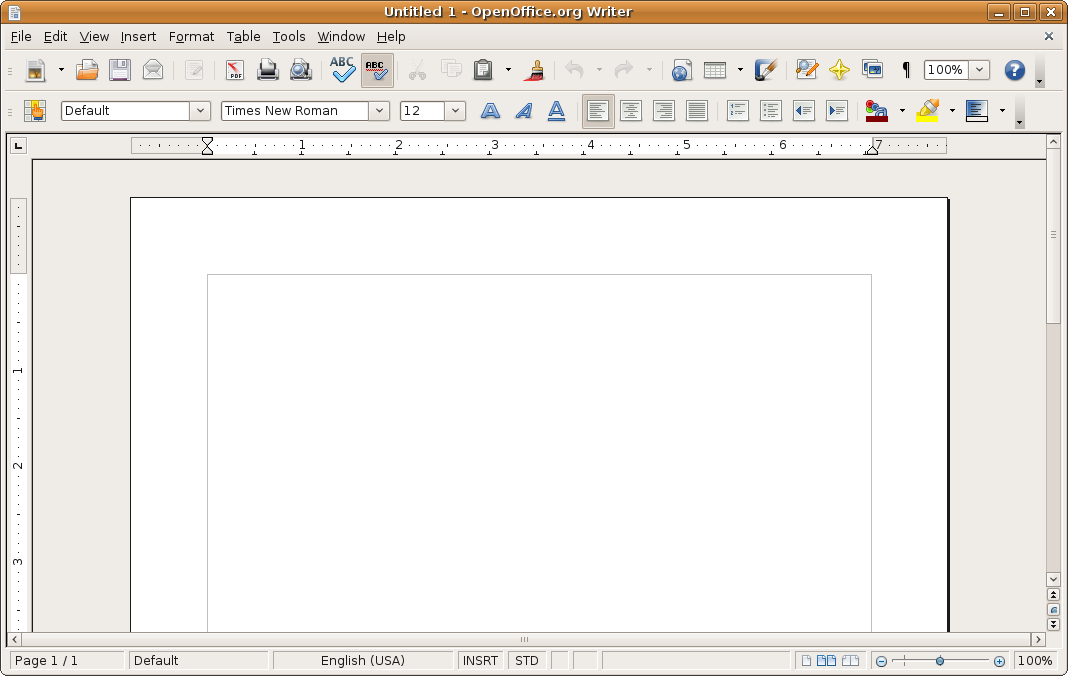
Apache's Open Office is one of the well known and frequently used open-source software. The suite comes with various programs that cover essential needs of students as well as people in the working field. The problem some students face (myself included) is finding a program to type all the papers, essays, and homework assigned in school. When on a budget, what is more better than free? Apache's Open Office is free to download and utilize off of their site. The programs included in the suite are surprisingly good for a free product.

The Open Office Writer is similar to Microsoft Word in many features, it may be lacking some functions but it still gets the job done (Hey, anything is better than Notepad). It is a simply designed word processor that meets the needs of students and workers with a low learning curve to use. 

In addition, for those presentations, Open Office also has a program called Open Office Impress that acts similar to Microsoft Powerpoint. Like the Writer it has a simple design, low learning curve, and contains all the functions one may need. It is a perfect tool for students to create presentations, teachers to create lecture notes, or business people to create slideshows. 

These are only two of the many programs contained in the Open Office suite. It also includes Open Office Math for those math equations and symbols, Open Office Draw for pictures and diagrams, Open Office Calc for data plotting (similar to Microsoft Excel), and Open Office Base to manage databases at your finger tips. If you are looking for a free program that does it all, I suggest you head towards the Open Office website and get your free suite today!

References

N.A. (n.d). Apache OpenOffice. Retrived from http://www.openoffice.org/